
Screenshots
App details
- Updated
- Jul 26, 2007
- Language
- English
- Developer
- OrdinarySoft
- Category
- Mobile
SoftPas in:
This product is also available in the following languages:
About Tidy Start Menu
Download Tidy Start Menu – Organize Start Menu, Clean Shortcuts, Productivity Tool
Overview
Tidy Start Menu is a utility application designed to streamline and organize the Start Menu on Windows-based devices. Its primary purpose is to address the common issue of digital clutter that accumulates over time, especially in desktop environments where users install numerous applications without proper categorization. The app helps users regain control over their Start Menu by offering a structured approach to sorting shortcuts into logical groups. This functionality is particularly beneficial for individuals who rely heavily on their desktop for work, study, or entertainment, where quick access to relevant applications is essential.
Target users include both casual computer users and power users seeking a cleaner, more efficient interface. The app’s intuitive design makes it accessible to beginners, while its expert mode caters to advanced users who desire granular control over their system’s layout. Real-world use cases include organizing a disorganized Start Menu after software updates, removing outdated or broken shortcuts, and creating custom categories that reflect personal or professional workflows. In the broader app ecosystem, Tidy Start Menu fills a niche for lightweight, focused tools that enhance productivity without requiring complex setup or high system resources.
The developer did not provide additional technical details about the origin or background of the application. However, its long-standing presence—first released on July 26, 2007—suggests a proven track record of reliability and consistent use. Despite its age, the app remains relevant due to its core functionality, which continues to solve a persistent problem in Windows environments. Its enduring utility underscores its value as a simple yet effective productivity enhancer.
Key Features & Functionality
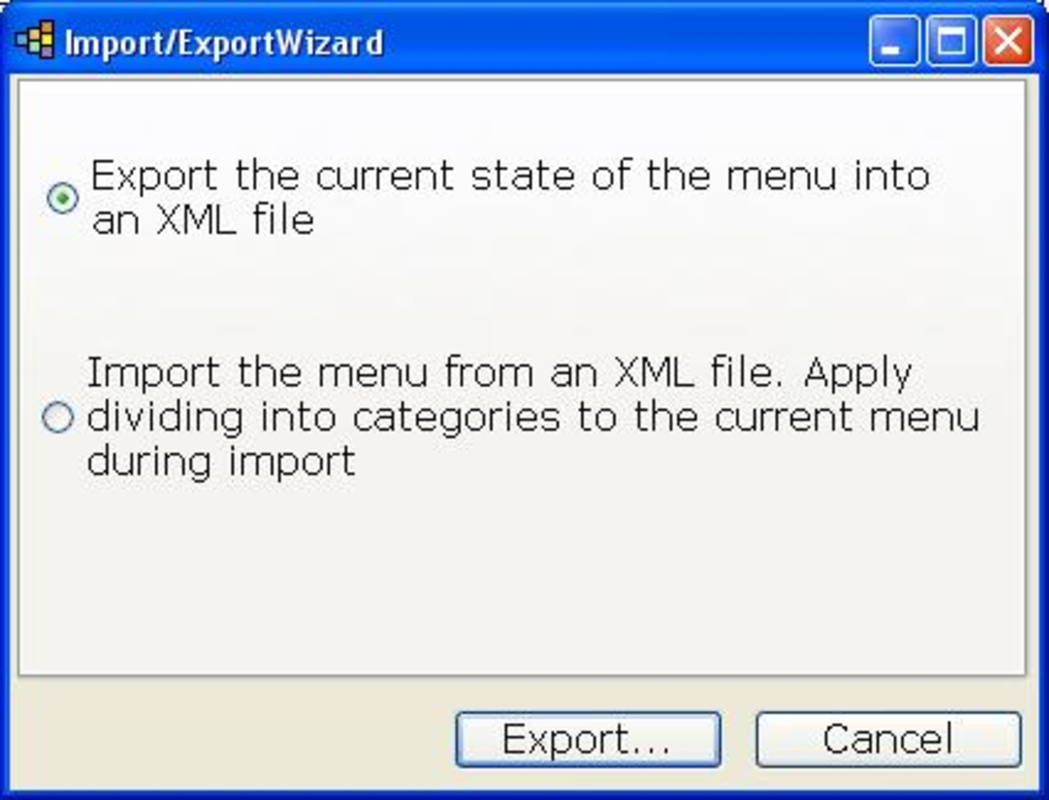
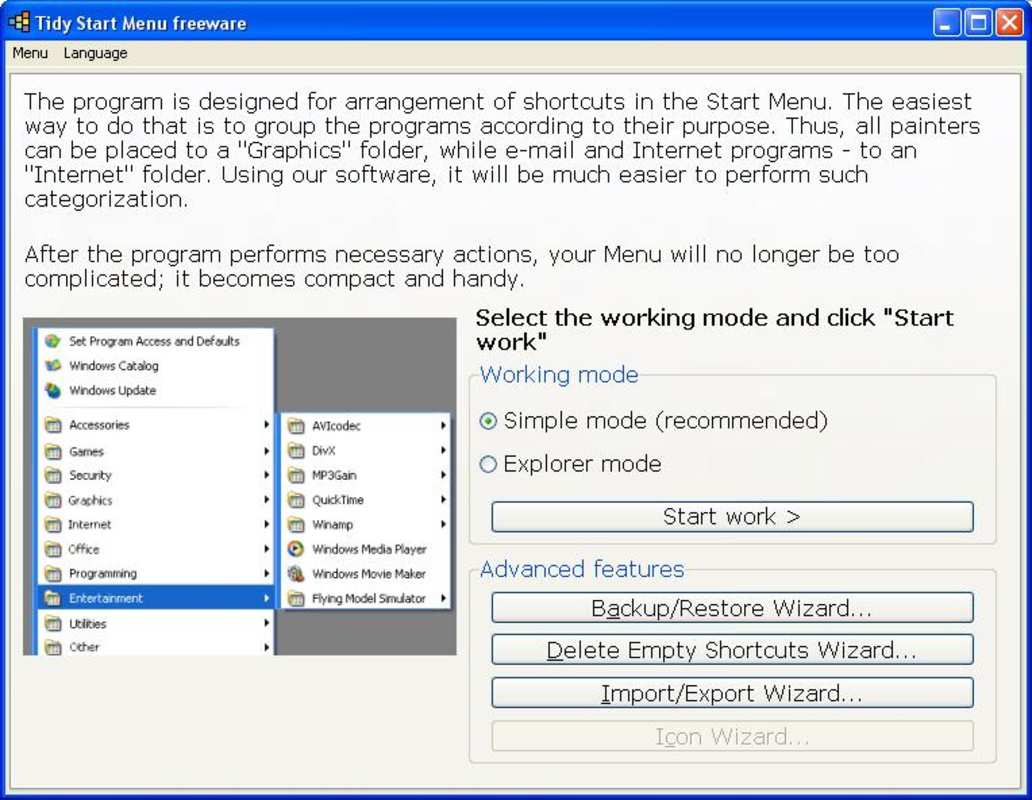
- User-Friendly Wizard: The app features a guided wizard that walks users through the process of organizing Start Menu shortcuts. It simplifies the task of sorting applications into predefined categories such as office, utilities, games, entertainment, Internet, programming, graphics, safety, and others. This step-by-step interface reduces the cognitive load of manual sorting and ensures a consistent, clean result.
- Expert Mode Access: For users seeking deeper customization, the expert mode unlocks advanced options. It allows modifications beyond basic grouping, including the creation of additional subfolders and fine-tuning of folder structures. This mode is ideal for users managing large software libraries or those who require highly personalized organization systems.
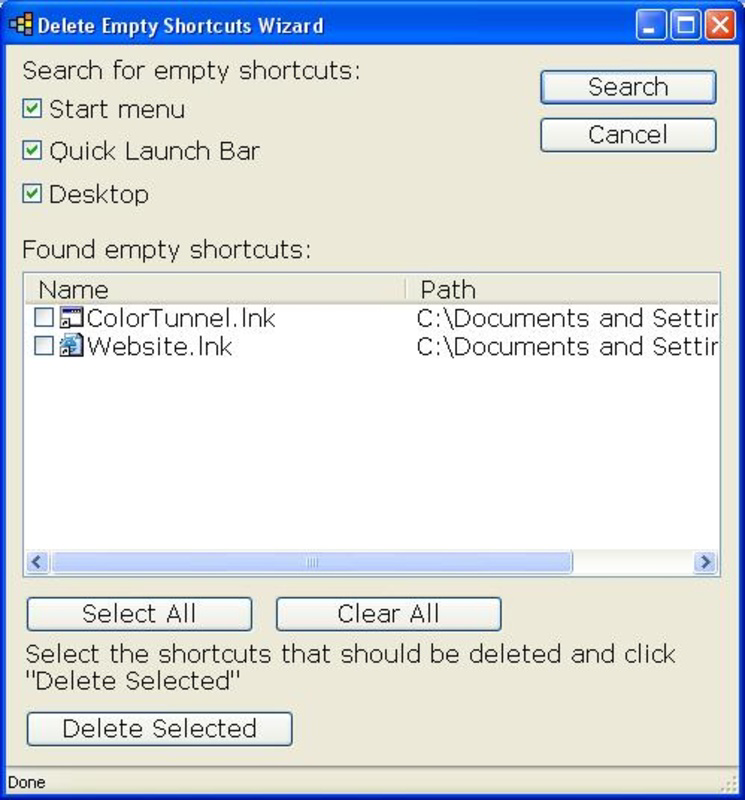
- Shortcut Cleanup: Tidy Start Menu identifies and removes shortcuts that point to missing or non-existent files. This feature prevents users from encountering error messages when launching applications and maintains the integrity of the Start Menu’s functionality.
- Multiple Group Categories: The application supports up to seven distinct categories, enabling users to group applications by function or usage. This enhances discoverability and reduces time spent searching for specific tools, improving overall workflow efficiency.
- Custom Subfolder Creation: Users can create custom subfolders within the Start Menu to further refine their organization. This flexibility supports diverse use cases, from developers managing multiple IDEs to students organizing study-related software.
For example, a graphic designer might use the app to group design tools in a “Graphics” folder, while a student could create a “Study Tools” subfolder under “Utilities.” These real-world applications demonstrate how Tidy Start Menu adapts to individual needs, making it a versatile productivity aid.
Interface, UX & Performance
The user interface of Tidy Start Menu is designed with simplicity and clarity in mind. It presents a clean, minimal layout that focuses on the core task: organizing shortcuts. Navigation is linear and intuitive, with the wizard guiding users through each step without requiring prior technical knowledge. The visual style is functional rather than decorative, aligning with the app’s utility-focused purpose.
Although the developer did not list formal performance metrics, the app is expected to operate efficiently on standard Windows systems. Its lightweight nature suggests minimal impact on system resources, making it suitable for use on older or low-spec machines. Responsiveness is likely consistent across different device categories, as the interface relies on basic Windows components rather than resource-intensive graphics.
Stability appears to be a strength, given the app’s long release history. The absence of reported issues in the provided information indicates reliable operation during typical use. However, compatibility with newer Windows versions may require verification, as the app was first released in 2007. Users should ensure their system meets the necessary requirements before installation.
Platform Compatibility & Technical Requirements
Tidy Start Menu is designed for Windows operating systems. The platform is specified as Windows, though the exact version is not listed. The file size of the application is not disclosed, which may affect installation planning on devices with limited storage. The software version and release date are provided: version 1.0 was released on July 26, 2007.
The developer did not specify minimum OS requirements or compatibility details for modern Windows versions. As such, users should exercise caution when installing on newer systems, as potential compatibility issues may arise. The lack of updated technical information limits the ability to assess current performance and integration with recent Windows features.
Pros and Cons
Pros
- Simple, guided wizard makes organization accessible to beginners.
- Expert mode offers advanced customization for experienced users.
- Removes broken shortcuts, improving system usability.
- Supports up to seven predefined categories for efficient grouping.
- Allows creation of custom subfolders for personalized layouts.
Cons
- Version and OS compatibility details were not fully disclosed.
- File size and system requirements were not specified.
- App has not been updated since 2007, raising concerns about modern compatibility.
- Limited visual feedback during the organization process.
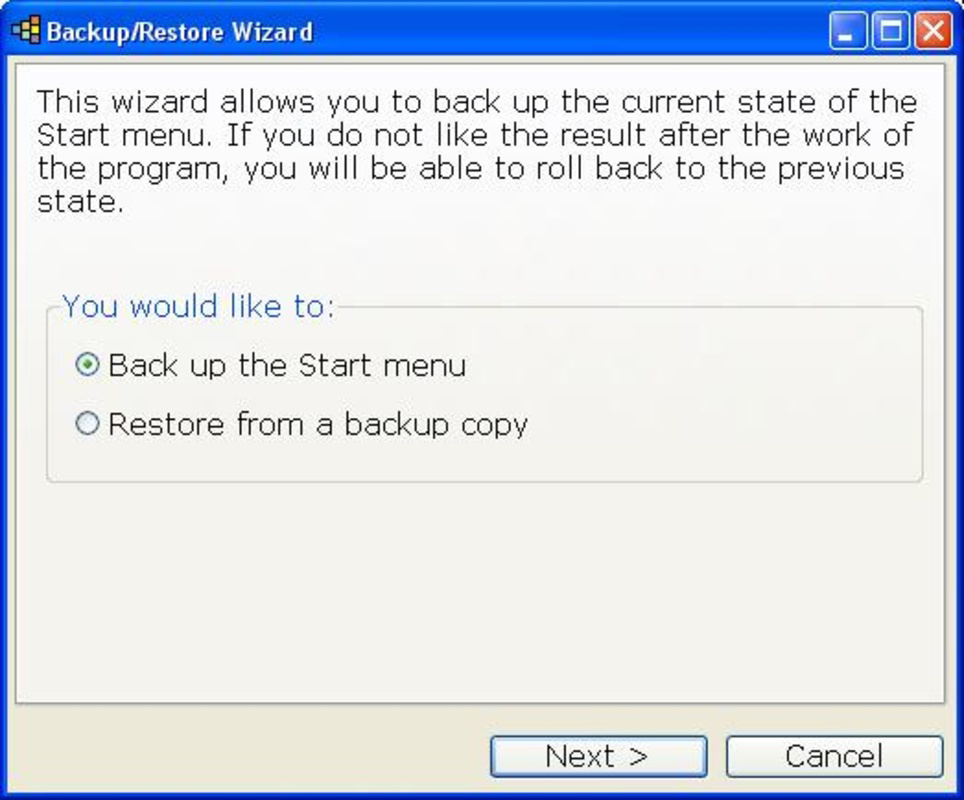
- No built-in backup or undo functionality for changes.
FAQ
Is Tidy Start Menu safe to download and install?
The app is a utility tool designed for Windows systems. While it has been available since 2007, users should ensure they download it from a trusted source to avoid potential security risks.
Can I use Tidy Start Menu on Windows 10 or Windows 11?
Compatibility with Windows 10 or 11 is not confirmed in the provided information. Users are advised to test the app on their system before full deployment.
Does Tidy Start Menu require administrative privileges?
Specific permission details were not listed. It is recommended to run the app with standard user rights unless otherwise required by the system.
Can I undo changes made by Tidy Start Menu?
The developer did not provide information about undo or backup features. Users should consider creating a system restore point before using the app.
Is Tidy Start Menu free to use?
The pricing information was not disclosed. Users should verify the cost and licensing terms before installation.
Final Thoughts + CTA
Tidy Start Menu remains a practical solution for users seeking to restore order to a cluttered Start Menu. Its straightforward wizard and expert mode offer a balanced experience for both novice and advanced users. While its age raises questions about modern compatibility, the core functionality—organizing shortcuts, removing broken links, and enabling custom grouping—remains highly relevant. For individuals who value a clean, efficient desktop environment, this app delivers tangible productivity benefits. It is especially useful for those managing multiple applications across work and personal use. Despite missing updated technical details, its enduring presence speaks to its reliability and effectiveness.
Download Tidy Start Menu now
Guides & Tutorials
How to install Tidy Start Menu
- Click the Download button above.
- Once redirected, accept the terms and click Install.
- Wait for the Tidy Start Menu download to finish on your device.
How to use Tidy Start Menu
This software is primarily used for its core features described above. Open the app after installation to explore its capabilities.
User Reviews
No reviews yet. Be the first to share your experience.
You may also like
more
Que no te pillen¡
About !Que no te pillen¡Reviewed by Jason A. BilbreyShow MoreShow Less

3D Combat Zone
About 3D Combat ZoneOriginally released in 1983, 3D Combat Zone immerses players...

666: El día del portal
About 666: El día del portalOn June 6, 2006, Agent P. Stone uncovers a sinister...

80 in 1 Best Flash games
About 80 in 1 Best Flash games 80 in 1 Best Flash games is a collection of 80 fl...

ABYSS SEEKERーーWhat Do You See Deep in The Abyss
About ABYSS SEEKERーーWhat Do You See Deep in The AbyssIn ABYSS SEEKER, players...

ACA NEOGEO THE KING OF FIGHTERS 2002 for Windows
About ACA NEOGEO THE KING OF FIGHTERS 2002 for WindowsTHE KING OF FIGHTERS 2002,...